AI & Automation
AI Apps and Automation for Home Service Businesses
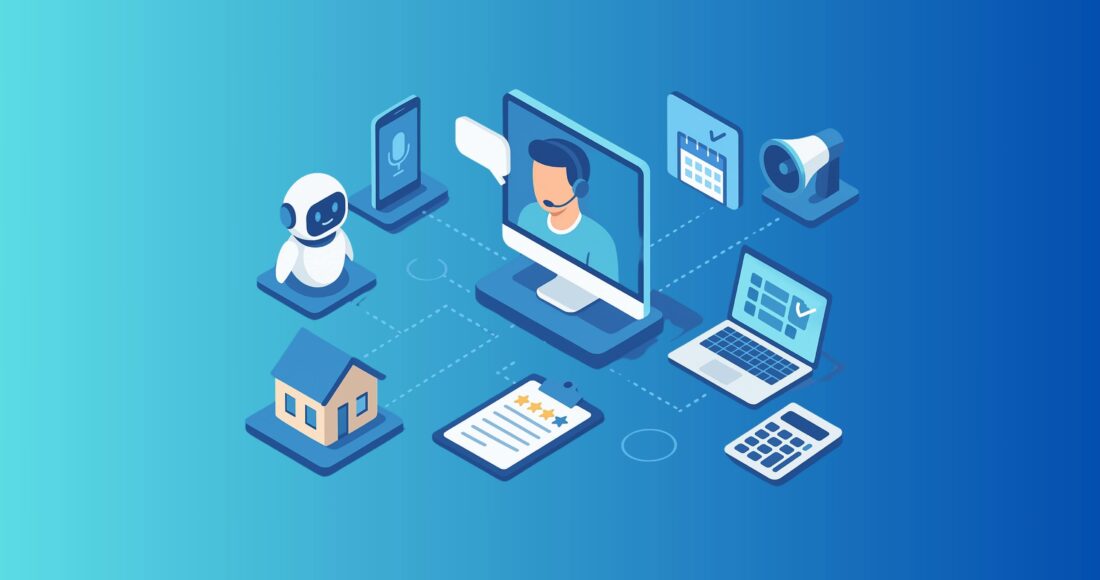
Streamline your operations and scale your business with AI tools that do the work for you.
AI isn’t just for Silicon Valley anymore. From HVAC contractors to cleaners to electricians, home service businesses are starting to use AI-powered tools to save time, respond faster, and automate the repetitive tasks that slow them down.
In this article, we’re diving into Level 4 of our AI adoption framework — what we call AI apps and automation. This is the stage where businesses go beyond simple prompting (like using ChatGPT) and start embedding AI into their actual workflows — from customer service and scheduling to review management and follow-up.
Whether you’re already experimenting with AI or just trying to understand what’s possible, this guide will show you the tools, workflows, and systems that can help you run your business smarter — not harder.
This is how we define Level 4 AI adoption when working with clients at Negosense:
the shift from manual use of AI to operational integration of AI-powered apps and automations.
And don’t worry — you don’t need a team of developers or a giant budget to get started. Many of these tools integrate directly with your CRM or can be automated with no-code platforms like Zapier or Make. In fact, many of the workflows we’ll cover are already fully native inside our CRM — built specifically for home service businesses.
What Is Level 4 AI Adoption?
Level 4 is where real operational leverage kicks in.
At this stage, you’re not just using AI tools — you’re automating your day-to-day operations with them. This includes things like:
- Using Voice AI to answer phone calls and schedule appointments
- Automatically following up with leads and customers via email or SMS
- Handling customer inquiries 24/7 with AI chatbots
- Triggering workflows based on customer behavior — without lifting a finger
For example:
A lead calls your business → Voice AI captures their name, service need, and preferred date → they’re added to your CRM → they receive a booking confirmation via SMS → you’re notified with a summary and a calendar event.
This is AI doing the work — not just helping you think.
If you’re still experimenting with tools like ChatGPT, that’s great — but that’s Level 1.
If you’ve created reusable prompt templates, that’s Level 2.
If you’ve trained your own Custom GPT, you’re at Level 3.
Ready to move into real automation? That’s Level 4.
Now let’s explore the top AI apps and tools — and how to integrate them into your home service business.
Top AI Tools & Apps for Home Service Businesses
There’s no shortage of AI tools on the market—but not all are built with service businesses in mind. Below, we’ve broken down the most useful AI categories, the leading third-party tools in each, and how they compare to what you can automate inside our CRM.
1. AI Chatbots & Virtual Assistants
AI chatbots handle customer inquiries, capture leads, book appointments, and provide instant support across your website or social platforms.
Popular tools:
- Tidio – includes an AI-powered chatbot and live chat
- ChatGPT – can be embedded with custom scripts
- Delphi.ai – lets you train an AI assistant on your content
We offer a native website chat widget that can qualify leads, ask service-specific questions, and trigger automated follow-ups via SMS or email. No third-party tools required.
Integration tip:
Delphi or CustomGPTs can be embedded into your site or connected via Zapier if you want a branded assistant trained on your specific knowledge base.
2. Voice AI & Call Automation
AI voice agents can answer calls, collect customer information, and even schedule jobs—all without human intervention.
Popular tools:
- Nexa Voice + AI
- Twilio Voice bots
Our Voice AI feature handles inbound calls using natural language, collects contact info, books appointments, updates CRM records, sends SMS confirmations, and can transfer the call to a human if needed. Fully native.
3. Scheduling & Booking Automation
Scheduling and booking automation let customers book appointments online without calling or emailing.
Popular tools:
- Calendly
- Acuity Scheduling
We offer booking calendars with automated reminders, confirmations, and no-show follow-up sequences. You can route bookings to the right team member and automate pipeline updates.
4. Review Management & Auto-Replies
You don’t have to manually ask every customer for a review after each job. You can automate review requests and responses to reviews across platforms like Google and Yelp.
Popular tools:
- Birdeye
- Zapier + ChatGPT for auto-replies
Our CRM let’s you fully automate or manually trigger review requests after job completion or payment. Responses to reviews are managed inside the dashboard, but full auto-reply to reviews requires third-party integration, which we set up for our clients.
5. Sales & Follow-Up Automation
Forget having to manually nudge each lead. Nurture leads automatically with personalized messaging via email or text.
Popular tools:
- GetResponse
- ManyChat
- HubSpot (for larger ops)
Lead nurturing is fully native in our CRM. You can build automated email and SMS workflows based on form fills, missed calls, tags, or pipeline stage changes. You can also use conditional logic to personalize every touchpoint.
6. Smart Websites & AI Builders
Website builders let you quickly generate professional websites with AI-powered layout, copy, and design suggestions.
Popular tools:
- Wix ADI
- Durable
We offer a drag-and-drop website builder with templates tailored to home service businesses. It integrates directly with your contact form, booking calendar, chatbot, and CRM—no extra tools needed.
7. Marketing Content & Ad Optimization
Generate social media posts, email campaigns, landing pages, and optimize ad campaigns with AI.
Popular tools:
- ChatGPT / Jasper / Gemini – for content generation
- Adzooma / WordStream – for AI-driven ad performance improvements
You can build and send email and SMS campaigns natively inside our CRM, and integrate with ad platforms via tracking and lead sync. While ad optimization itself is not native, we offer full-service ad management, including:
- Campaign strategy and setup
- Copy and creative generation
- Budget management and reporting
- Ongoing optimization and performance reviews
We handle the entire ad process for our clients — from first draft to final report.
8. Dynamic Pricing Tools
AI solutions let customers get instant quotes based on service type, urgency, or other variables — right on your website.
Popular tools:
- PriceGuide.ai
Our CRM doesn’t include smart pricing calculators out of the box, but:
- We can embed third-party tools on your website and trigger follow-ups based on responses
- Even better, we offer to build fully custom pricing calculators tailored to your services, workflows, and profit margins — and integrate them seamlessly with your CRM forms and automations
This gives your business a clean, interactive quoting experience without needing a third-party subscription.
When to Use Third-Party Tools (and How to Integrate Them)
Our CRM is designed to automate the majority of daily operations for home service businesses — but there are still times when third-party tools make sense. Whether you’re adding advanced functionality, working with existing systems, or exploring tools you’re already familiar with, here’s how to know when and how to plug them in.
When to Use Third-Party Tools
You want to generate content or long-form documents
Tools like ChatGPT, Gemini, or Jasper are better suited for creating SOPs, blog posts, or ad copy — then you can use our CRM to distribute and schedule them via email or SMS.
You want real-time video/audio transcription or summaries
Use Otter.ai or Loom to capture team calls, project updates, or SOP explanations — then upload the summaries into your CRM as part of onboarding or internal documentation.
You want dynamic pricing logic or smart calculators
We offer to build custom calculators for you, but if you’re exploring external options like PriceGuide.ai, those can be embedded on your site and synced with our CRM for follow-up automations.
How to Integrate External Tools with Your CRM
Even if a task isn’t fully native, you can still plug it into your automation system using one of three easy methods:
1. Zapier
Create automations like:
- When a lead fills out a ManyChat form → create contact in CRM + start nurture workflow
- When a review is posted on Google → generate a smart reply using ChatGPT → send to manager for approval
2. Make (formerly Integromat)
For more complex routing, filtering, and multi-step logic. Ideal for syncing multiple systems or handling advanced conditional logic.
3. Embedding or Linking
Some tools like pricing calculators or Delphi AI widgets can be embedded directly on your CRM-powered website. Others can be used manually and integrated into internal SOPs and email campaigns.
Pro Tip:
Most businesses don’t need to go “all-in” on AI tools from day one. You can start with one or two use cases, build internal automations using our CRM, and gradually layer in external tools as your operations evolve.
Coming up next: how to bring it all together inside your CRM for a unified, scalable system.
More AI Resources for Home Service Businesses
AI isn’t just one tool or one strategy — it’s a layered transformation. If you found this post helpful, explore the rest of our AI for Home Services content series to go deeper, step by step.
The AI Adoption Framework
This post is part of our AI adoption roadmap — a structured way to help home service businesses evolve from basic experimentation to full operational integration.
Start with the full overview:
Explore the Levels
Level 1: Prompting
- How to Use Prompting and ChatGPT in Your Home Service Business
Learn how to write clear, actionable prompts to generate emails, SOPs, estimates, and more.
Level 2: Prompt Libraries
- How to Build a Prompt Library for Your Home Service Business
Build a scalable system of reusable, high-performing prompts for day-to-day tasks.
Level 3: Custom GPTs
- How to Build a Custom GPT Trained on Your Business
Use your own content to create a branded AI assistant that knows your tone, FAQs, and services.
Level 4: AI Apps & Automation
- You’re here. This is where apps and systems start doing the work for you.
Level 5: AI Agents (coming soon)
- We’ll cover how to deploy autonomous AI agents that can handle multi-step tasks with little or no supervision.
Level 6: Build Your Own AI (coming soon)
- Explore the future of owning your own AI models, workflows, and decision-making logic — built around your unique business.
Ready to turn this from theory into execution?
Let’s talk about how we can help you automate, integrate, and scale your service business using the right tools — starting with what you already have.