AI & Automation
How to Build a Prompt Library for Your Home Service Business
You Don’t Need Automation to Work Smarter
You’ve probably used ChatGPT to write a follow-up message, a job post, or maybe a quick social ad. That’s a great start.
But if you’re retyping similar prompts every time, or rewriting from scratch when you know you’ve done this before — it’s time for Level 2.
Level 2 is about creating speed, clarity, and consistency. You’re not automating yet — but you’re getting organized.
The goal: create a prompt library that turns AI from a novelty into a repeatable productivity system.
At Negosense, we help home service businesses build these libraries as part of their sales, content, and client communication playbooks — and the best part is, you can start today with zero tech skills.
What Is a Prompt Library?
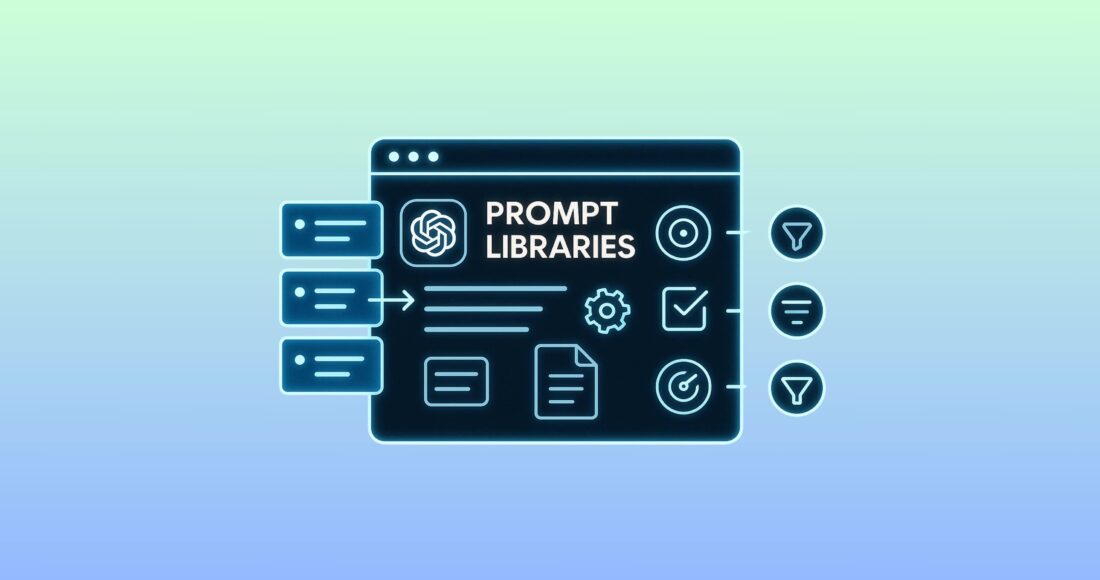
A prompt library is a collection of reusable, pre-tested prompts — organized by task or role — that you can pull from anytime you need to write something for your business.
It’s like a playbook for your content, quotes, and customer communication.
Instead of sitting there thinking:
“How do I say this again?”
You just grab the right prompt, fill in the details, and let ChatGPT do the rest.
Why Use One?
- Saves you time every time
- Keeps your tone and messaging consistent
- Makes delegation easier — your VA, freelancer, or tech can pull from the same library
- Eliminates writer’s block and decision fatigue
Whether you’re writing follow-ups, seasonal promos, website content, or social posts — having the right prompt ready to go is a massive time-saver. It can be powerful when used in combination with your digital marketing for home services.
And once it’s built, you can use it manually at first, then automate or systematize it later (Levels 3 and 4).
How to Identify Which Tasks to Build Prompts For
If you’re not sure where to start, don’t worry — most businesses already have 10+ prompt-worthy tasks hiding in plain sight.
The trick is to look for things you repeat, dread, or delegate badly.
Here’s a simple process:
1. Look for Repetition
Ask yourself:
“What am I writing over and over again?”
These are perfect candidates for prompt templates:
- Lead follow-up emails and texts
- Seasonal promotions
- Quote explanations
- Review requests
- Job ads
- Customer responses
If you’ve written it more than twice, write a prompt for it once and never start from scratch again.
2. Spot Mental Friction
What writing tasks make you hesitate, overthink, or delay?
- Responding to complaints
- Explaining pricing
- Writing bios or about pages
- Coming up with social captions
These aren’t “hard,” but they drain mental energy. A solid prompt turns them into a 30-second task.
3. Fix Inconsistency
If your emails sound friendly one day and robotic the next, you’ve got a tone problem.
Prompts help you:
- Lock in your voice
- Maintain structure
- Avoid overexplaining or under-delivering
Your team — or your future self — will thank you.
4. Make It Delegatable
Think of tasks you wish your VA, tech, or admin could handle without asking you what to say.
Prompts let you hand over:
- Customer replies
- Review follow-ups
- Service descriptions
- Proposal reminders
No more, “Can you check this before I send it?”
Summary:
If it’s repeated, annoying, inconsistent, or hard to delegate — build a prompt for it.
Coming up next: how to write these prompts right using the RISEN framework.
Use the RISEN Framework to Write Prompts That Actually Work
If you want consistent, high-quality output from ChatGPT, you can’t just type “write an email.”
You need structure. Clarity. Direction.
That’s where the RISEN Framework comes in — a simple but powerful method created by AI educator Kyle Balmer. It helps you design prompts that consistently deliver usable results — without trial and error every time.
Here’s how it works:
R — Role
Tell ChatGPT who it’s supposed to be.
This sets context for tone, expertise, and style.
Example:
“You are a customer service rep for a pest control company.”
or
“You are a local SEO copywriter writing for a plumbing business in the UK.”
I — Instruction
What is the AI supposed to do?
This is the core task — write something, rewrite something, summarize, list, analyze, etc.
Example:
“Write a follow-up email for a customer who received a quote but hasn’t responded in 3 days.”
S — Steps
Break the instruction into clear, logical actions.
This helps prevent vague or rambly outputs.
Example:
“Start with a thank-you, mention the quote, ask if they have any questions, and end with a CTA.”
E — End Goal
What result should this output achieve?
This makes the AI optimize for outcomes, not just completion.
Example:
“The goal is to sound friendly and helpful, and encourage the customer to reply or call us.”
N — Narrowing
Set specific constraints or formatting rules to control the output.
This is how you eliminate randomness and stay on-brand.
Example:
“Keep it under 100 words. Use UK English. Write in a warm, professional tone. No emojis.”
Example Prompt Using RISEN
Role: You are a customer support agent at a plumbing company.
Instruction: Write a follow-up email for a customer who received a quote 3 days ago.
Steps:
- Thank them for their interest
- Remind them what the quote included
- Ask if they have any questions
- End with a friendly CTA
End Goal: Encourage a reply and keep the door open without sounding pushy.
Narrowing:
- Under 100 words
- UK English
- Friendly but professional tone
- Include the business name in the sign-off
Why RISEN Is Worth Using
- Removes the guesswork
- Makes your prompts repeatable
- Works for team training and delegation
- Sets you up perfectly for future automation or GPT assistants (Levels 3+)
Coming up next: how to test, refine, and organize your prompts so they become tools — not one-time flukes.
How to Develop, Test, and Store Prompts for Consistent Results
The goal of a prompt library isn’t just saving time — it’s getting repeatable, high-quality output every single time you use the prompt.
Here’s how to actually build prompts that work — not just once, but every time you (or your team) use them.
Step 1: Start with RISEN
Use the RISEN framework (Role, Instruction, Steps, End Goal, Narrowing) to write the first version of your prompt.
Think of it as writing a set of clear instructions for your smartest employee — one who works instantly and never needs to ask follow-up questions.
Step 2: Test the Prompt in ChatGPT
Run the prompt through ChatGPT 2–3 times with different inputs. Ask yourself:
- Does the structure stay consistent?
- Is the tone on-brand every time?
- Would I (or my team) actually use this without rewriting it?
If the answer is “not quite,” revise:
- Add more clarity in the Instruction or Steps
- Tighten the Narrowing constraints
- Refine the End Goal so it knows what success looks like
Step 3: Version & Compare for High-Leverage Tasks
For prompts that matter (like lead follow-ups or ads), create 2–3 versions with variations in:
- Tone (friendly vs. direct)
- Structure (bullet vs. paragraph)
- Length or CTA style
Run them. Compare them. Keep the winner.
Pro Tip: Ask ChatGPT to critique its own output:
“Which of these options is most persuasive for a homeowner booking HVAC service?”
Step 4: Store Your Final Prompts in a Library
You can use:
- Notion (flexible and team-friendly)
- Google Sheets (fast and shareable)
- Airtable (great for filtering and tagging)
For each prompt, track:
- Prompt name (e.g. “Review Request – SMS”)
- RISEN prompt content
- Tags (category, tone, format)
- Use case or workflow stage
- Output example
- Version number or notes (e.g. “best performing version”)
Step 5: Plug Finalized Prompts Into Your Tools
Once a prompt is stable, use it in:
- CRM templates (email/SMS inside Negosense)
- Content planning (blog posts, captions, ads)
- Team playbooks (so your VA/staff can execute consistently)
- Custom GPTs (Level 3 — coming soon)
Recommended: The Ultimate Guide to CRM for Home Services.
Remember:
A good prompt saves time once.
A great prompt saves time every time.
Let’s look at some real examples of how contractors are using prompt libraries in their daily operations — and how this sets them up for the next levels of AI adoption.
How Contractors Are Already Using Prompt Libraries
Prompt libraries aren’t just a nice idea — they’re already saving hours every week for service businesses that want to look professional without wasting time.
Here’s how some of our clients at Negosense are putting them to work:
HVAC Contractors
Use Case:
- Follow-up prompts for quotes that go cold
- Seasonal Facebook ad templates for tune-ups
- Service description prompts for new web pages
Why it matters:
They no longer rely on copy/paste or “winging it.” Their brand voice stays consistent, and their techs sound polished — even if they’re not writers.
Cleaning Companies
Use Case:
- Customer satisfaction reply templates
- Job ad prompts to help scale their team
- Quick quote email responses for different property sizes
Why it matters:
They used to delay replying because they didn’t know what to say. Now it takes 15 seconds to sound professional, confident, and on-brand.
Electricians & Plumbers
Use Case:
- Google Business Profile descriptions
- Follow-up text templates for emergency calls
- Short-form blog prompt outlines (for local SEO)
Why it matters:
They write faster, delegate easier, and never wonder, “How should I phrase this?”
Bonus: Some Are Already Preparing for Level 3
Once they’ve built a solid prompt library, clients start asking:
“Can I just have a GPT that does all this?”
Answer: Yes. That’s Level 3 — and it starts by training your GPT on the best prompts from your Level 2 library.
What This Means for You
You don’t need a custom AI assistant right now.
But if you create a solid prompt library, you’re only one step away from:
- Delegating faster
- Systematizing your messaging
- Automating the right things later
Build the System Before You Automate It
Most business owners using AI get stuck in Level 1 — typing random prompts, getting mixed results, and starting over each time.
Level 2 changes everything.
When you build a prompt library:
- You create consistency across your emails, ads, replies, and quotes
- You reduce time spent thinking, writing, and rewording
- You make it easier to delegate or scale without sacrificing quality
It’s not automation yet — but it is systemization.
And that’s the foundation for real growth.
At Negosense, we help home service businesses move from scattered AI use to structured workflows — starting with prompt libraries, then leveling up into full automation and AI assistants when you’re ready.
Ready to build your own prompt library?
We’ll help you:
- Identify your most valuable prompt use cases
- Write and test them using the RISEN framework
- Organize everything in a searchable, shareable format